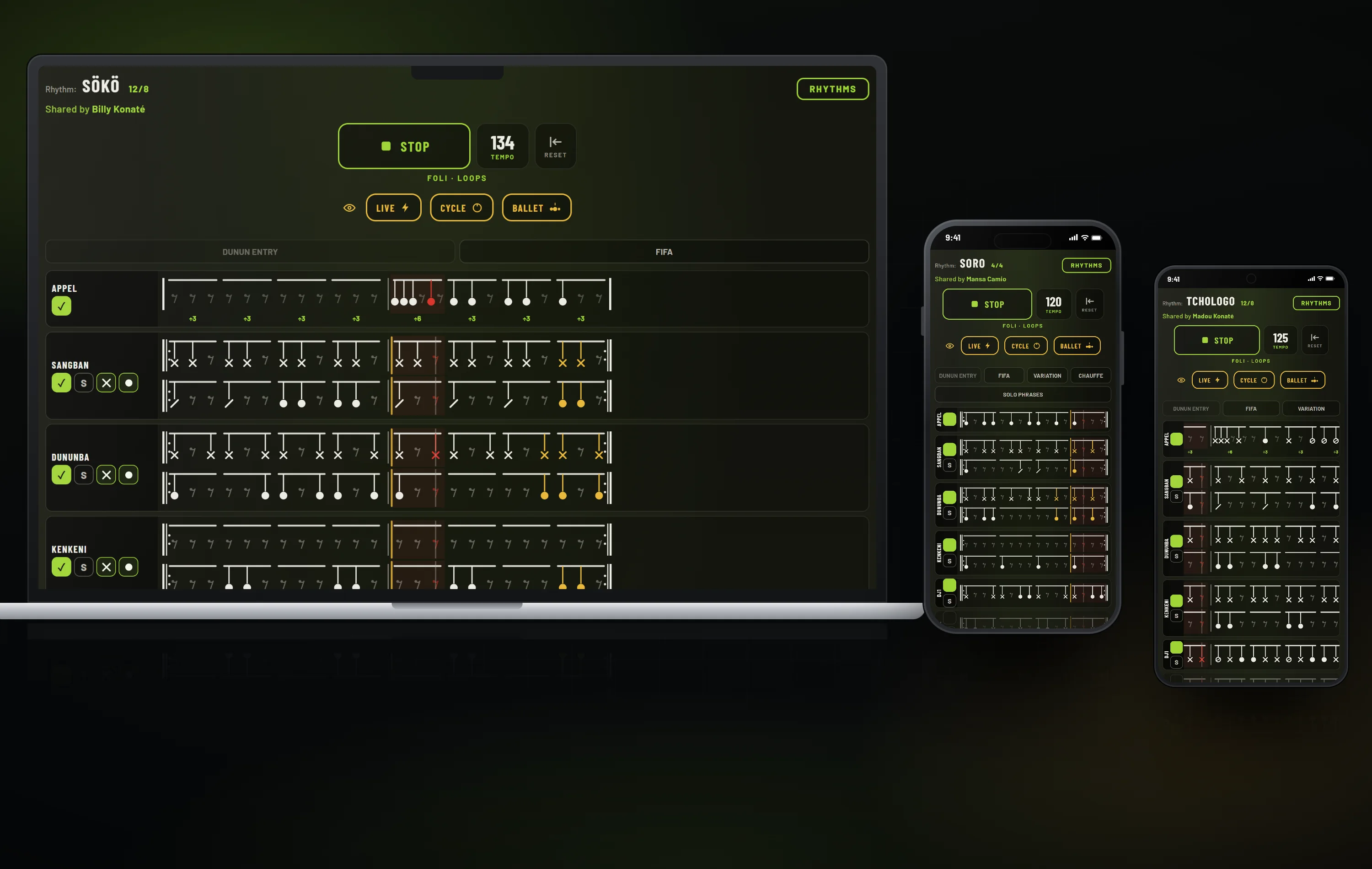
01 Software
Software, not just a phone app
One Foli-Loops license works on your phone, your tablet and your computer, at the same time. It runs in the browser, installs like an app, then works offline. The phone is perfect for djembe practice, wherever you are. The bigger the screen, the easier the writing.
- Runs on
- Windows PC, Mac, iPhone, iPad, Android
- Offline
- Yes, after the first activation
- License
- One for all your screens
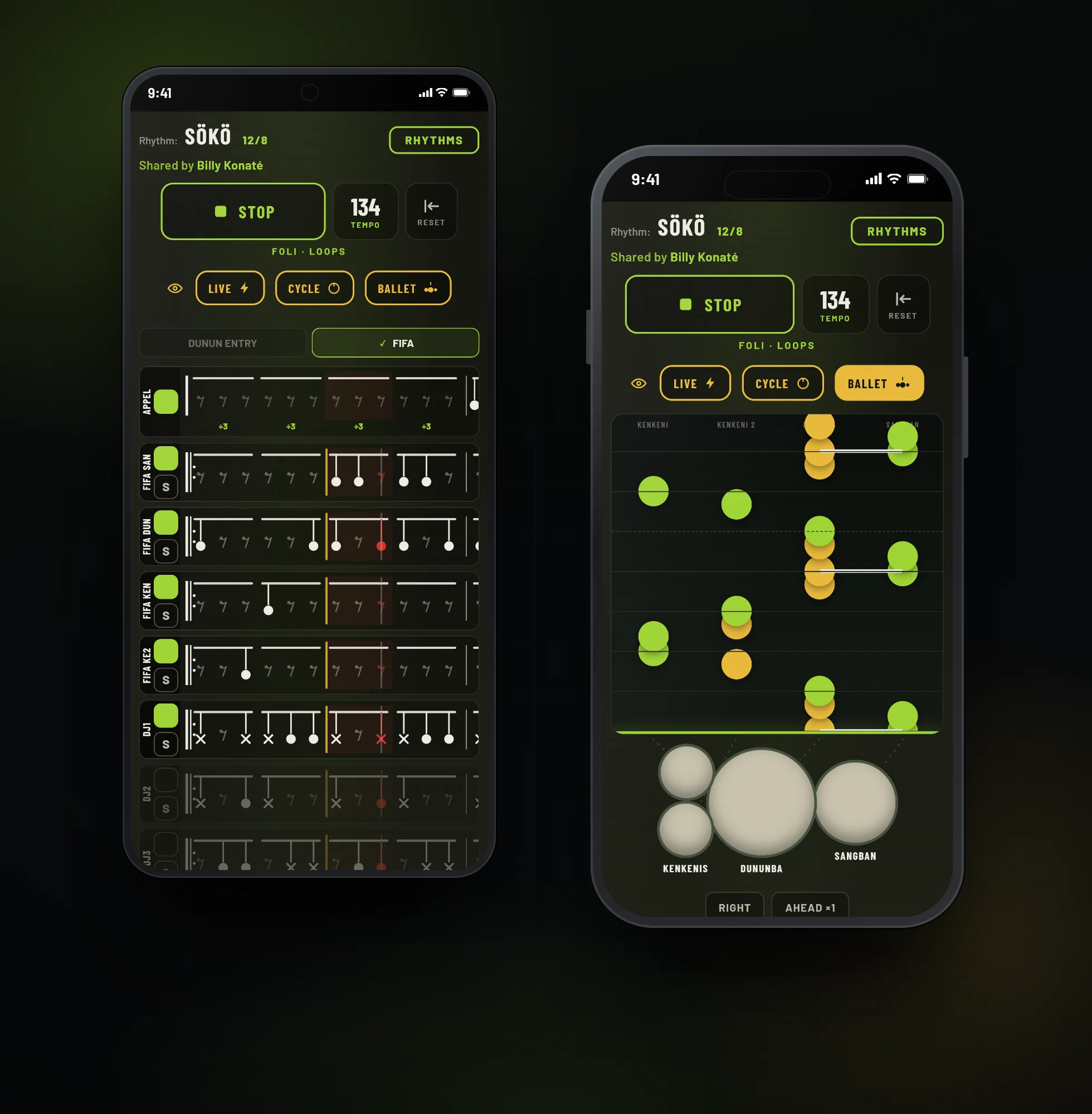
02 FIFA + BALLET
Ballet-style dununs for one player
Three dununs, one player. FIFA mode writes the sangban, dununba and kenkeni parts for a single drummer, ballet style, with its own lines in the score. BALLET shows the same part as the drums in front of you: each stroke falls on the right drum.
- FIFA
- Three dununs written for one drummer
- BALLET
- The drums as you see them when you play
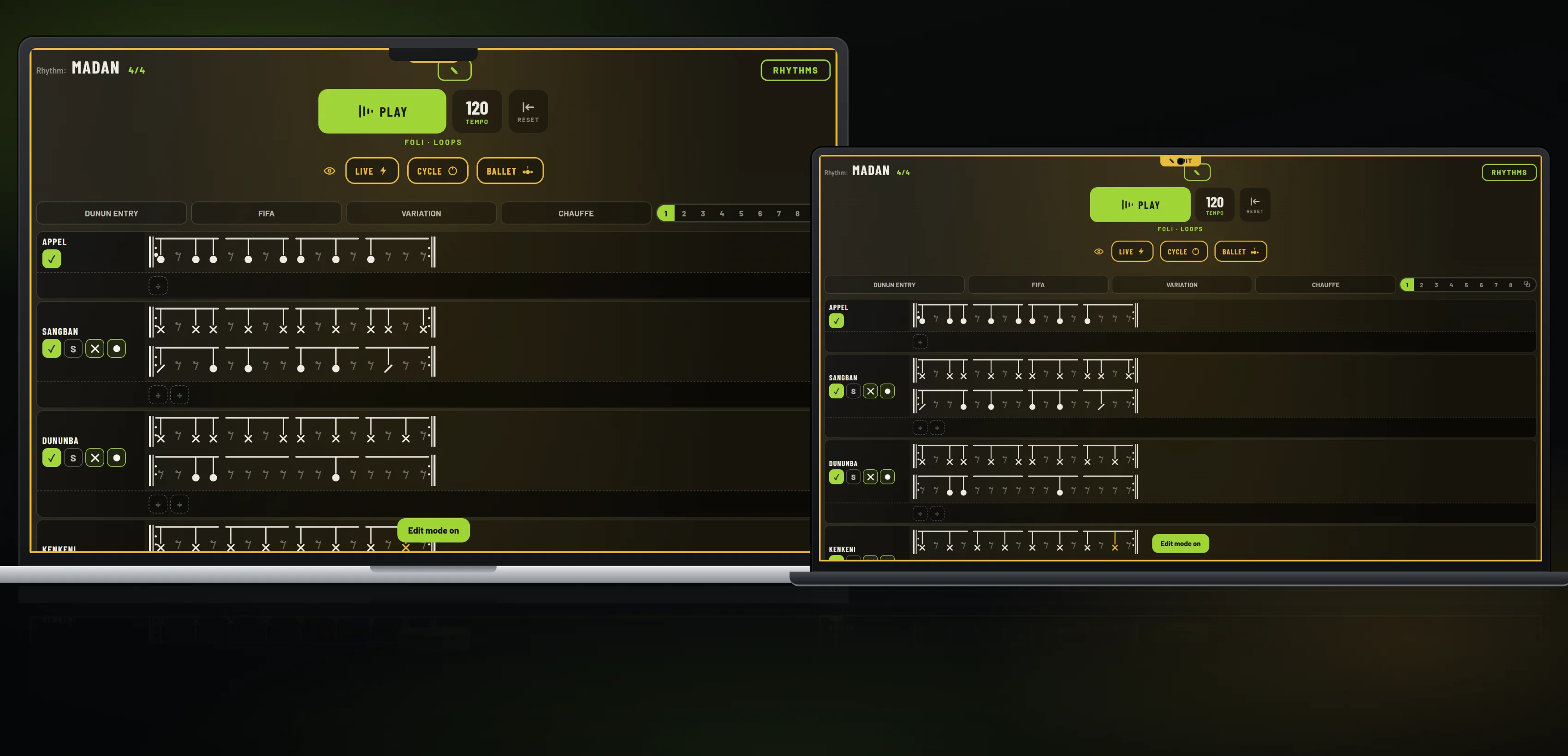
03 Writing
A full editor, and sharing by code
With the Teacher license, a complete writing interface lets you write rhythms, hand patterns, dunun entries and solo phrases. On a computer, each stroke has its own key. Send a rhythm to your students as a simple code: they paste it into the app.
- License
- Teacher
- Sharing
- By code, no file needed
- On a computer
- One key per stroke
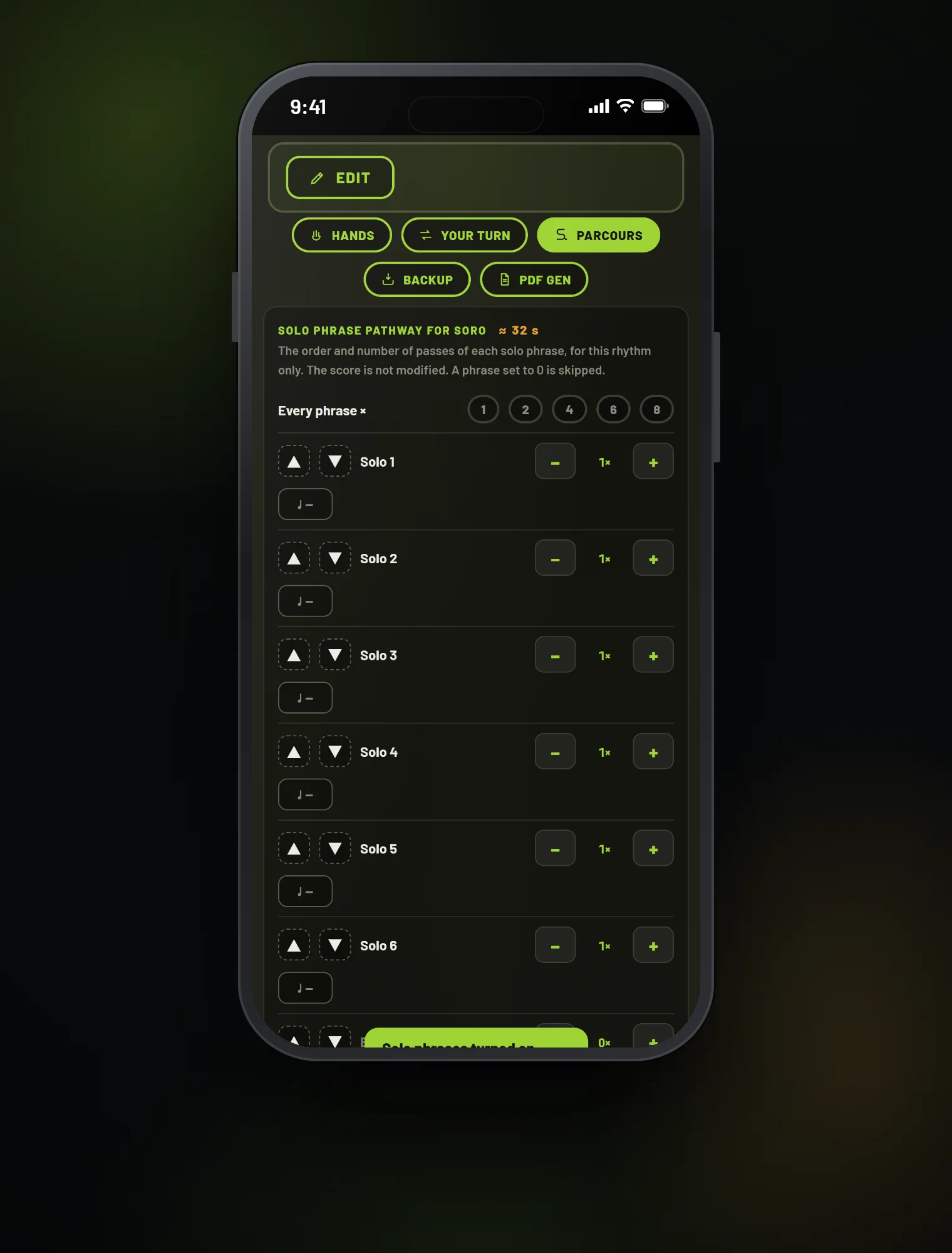
04 PARCOURS
Build a complete piece, from the entry to the ending
A rhythm is more than a loop. With PARCOURS you line up the dunun entry, the basic rhythm, your solo phrases, the breaks and the chauffe, like a real performance. You set the order, the number of repeats and the tempo of each part, keep several versions per rhythm, and share them with your students.
- You set
- Order, repeats and tempo of each part
- Example
- Entry, six solos and chauffe on Soro
- You share
- With your students
05 CYCLE
See how a rhythm is built
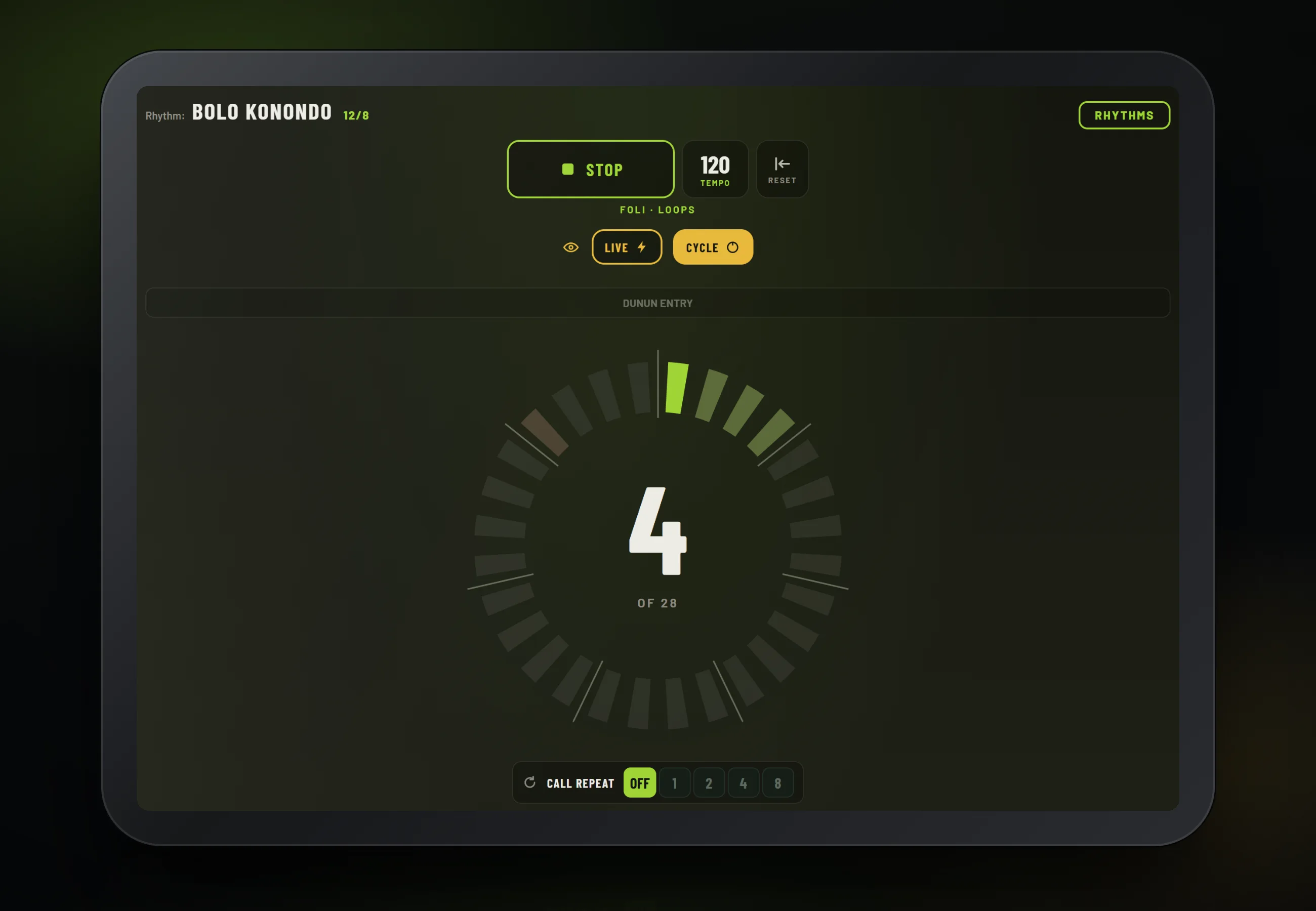
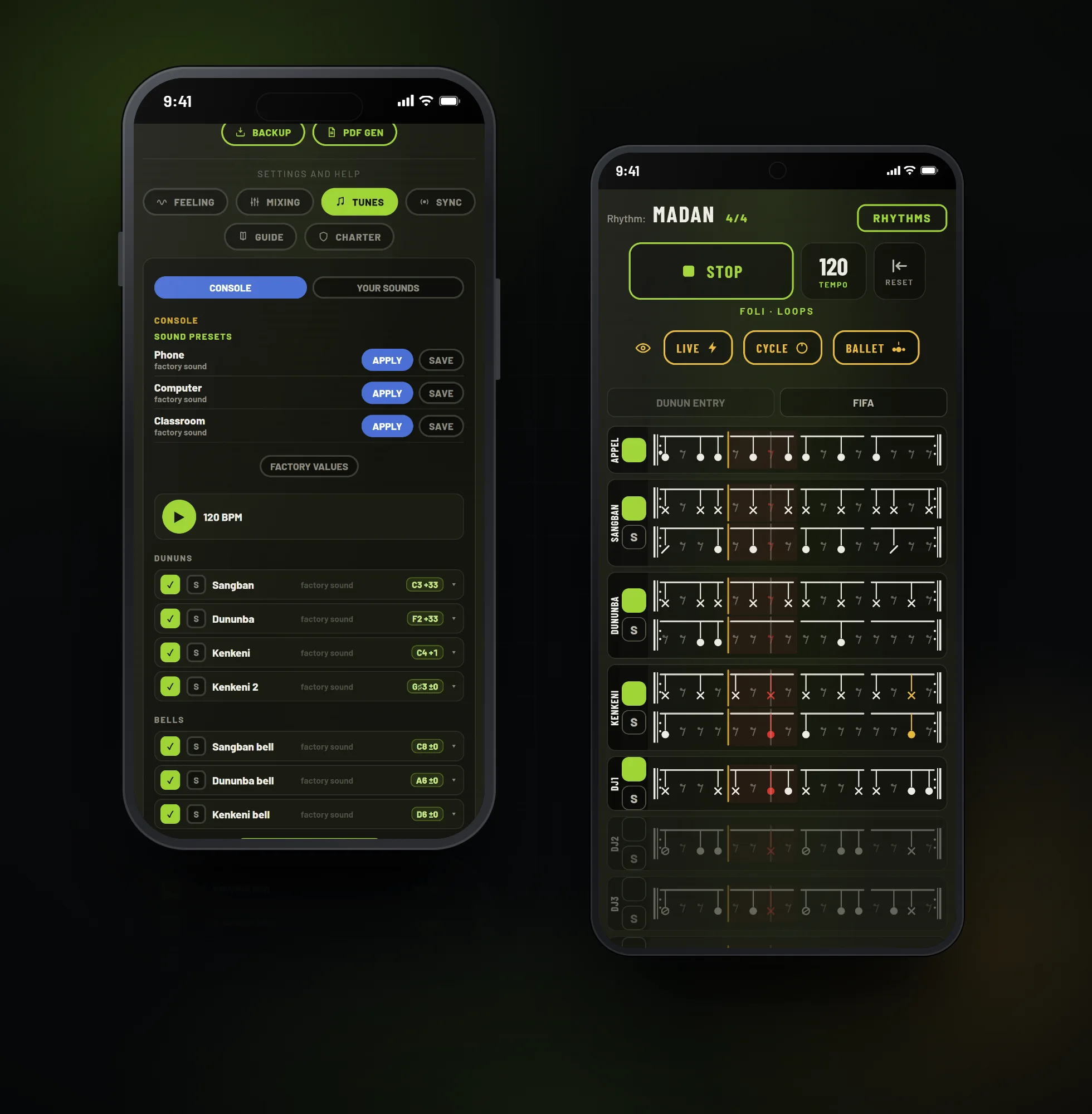
The CYCLE view draws the rhythm as a circle. You see where the call starts, where beat one falls and how the parts fit together, at a glance.
- Shows
- The call, beat one, the full cycle
06 YOUR TURN
The app plays, then you play
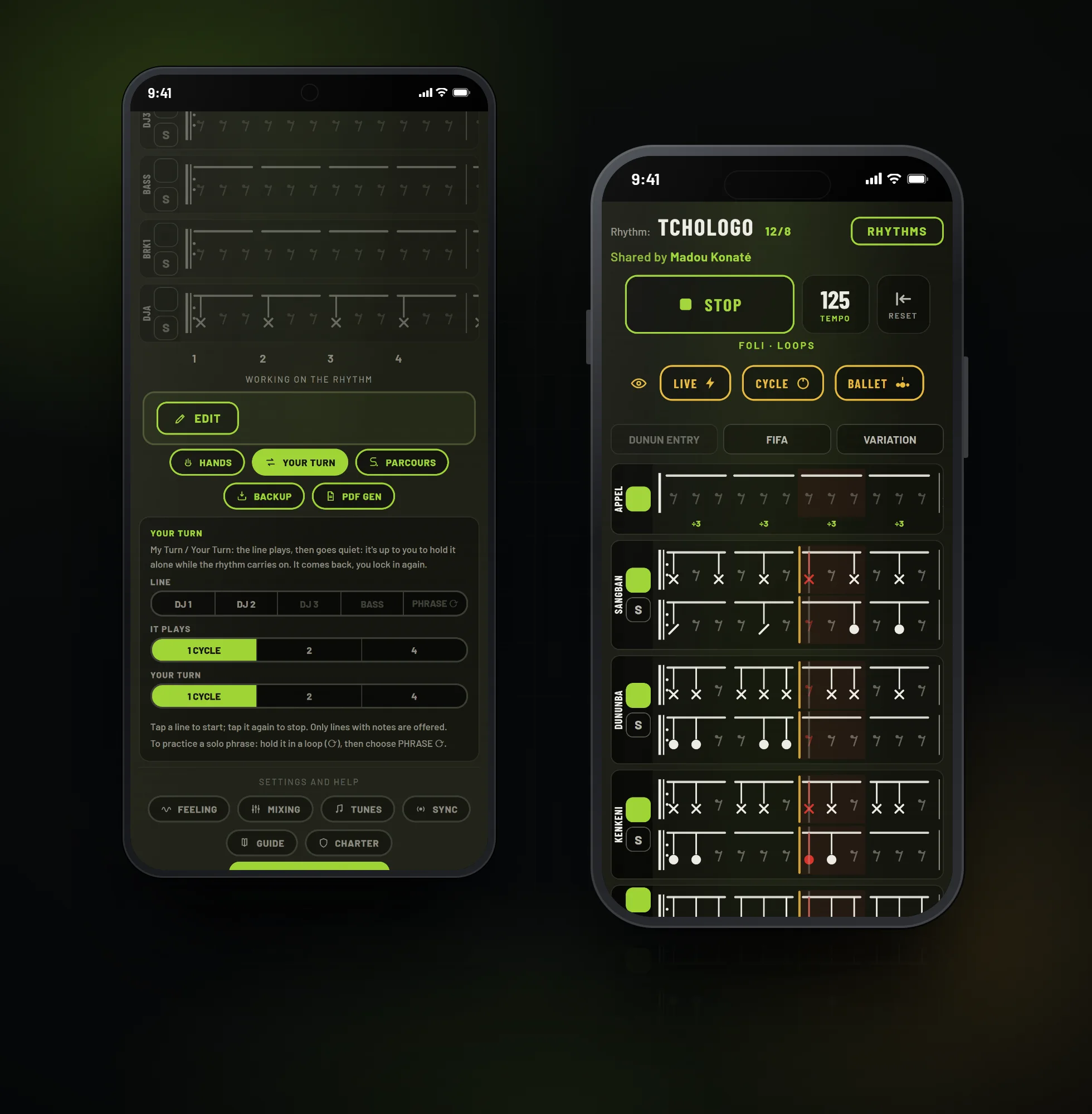
The ensemble plays the phrase, then stays quiet for you to play it back over the dununs. The format of a lesson, on your own.
- Rounds
- You choose how long each side plays
07 DUNUN ENTRY
The dunun entry, on every rhythm
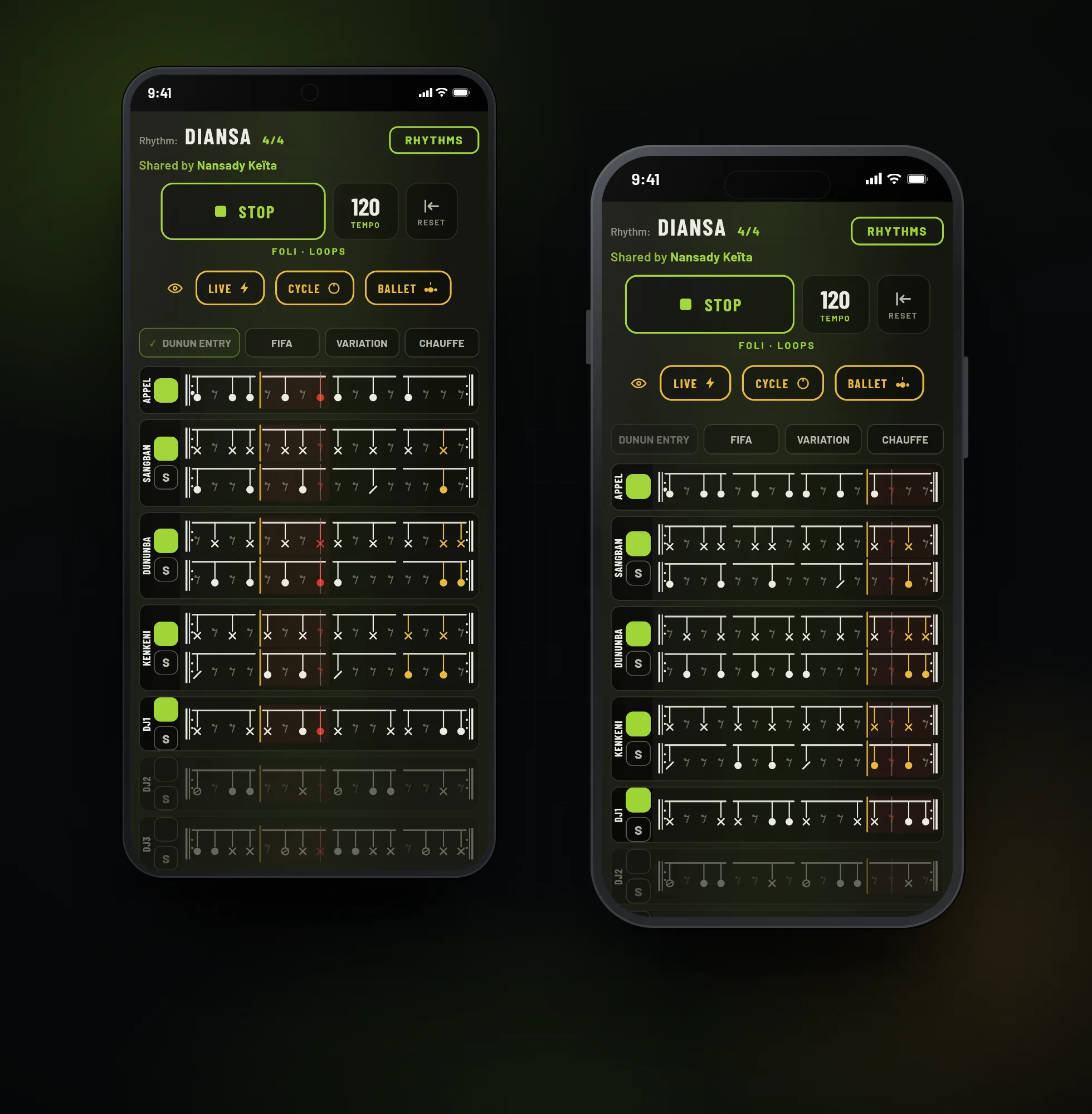
An ensemble does not start cold. Foli-Loops plays the traditional dunun entry before the rhythm settles, on every rhythm, and you can place it at the head of a Parcours.
- Available
- On every rhythm
- In a Parcours
- As the opening
08 MIXING
Place each drum in the group
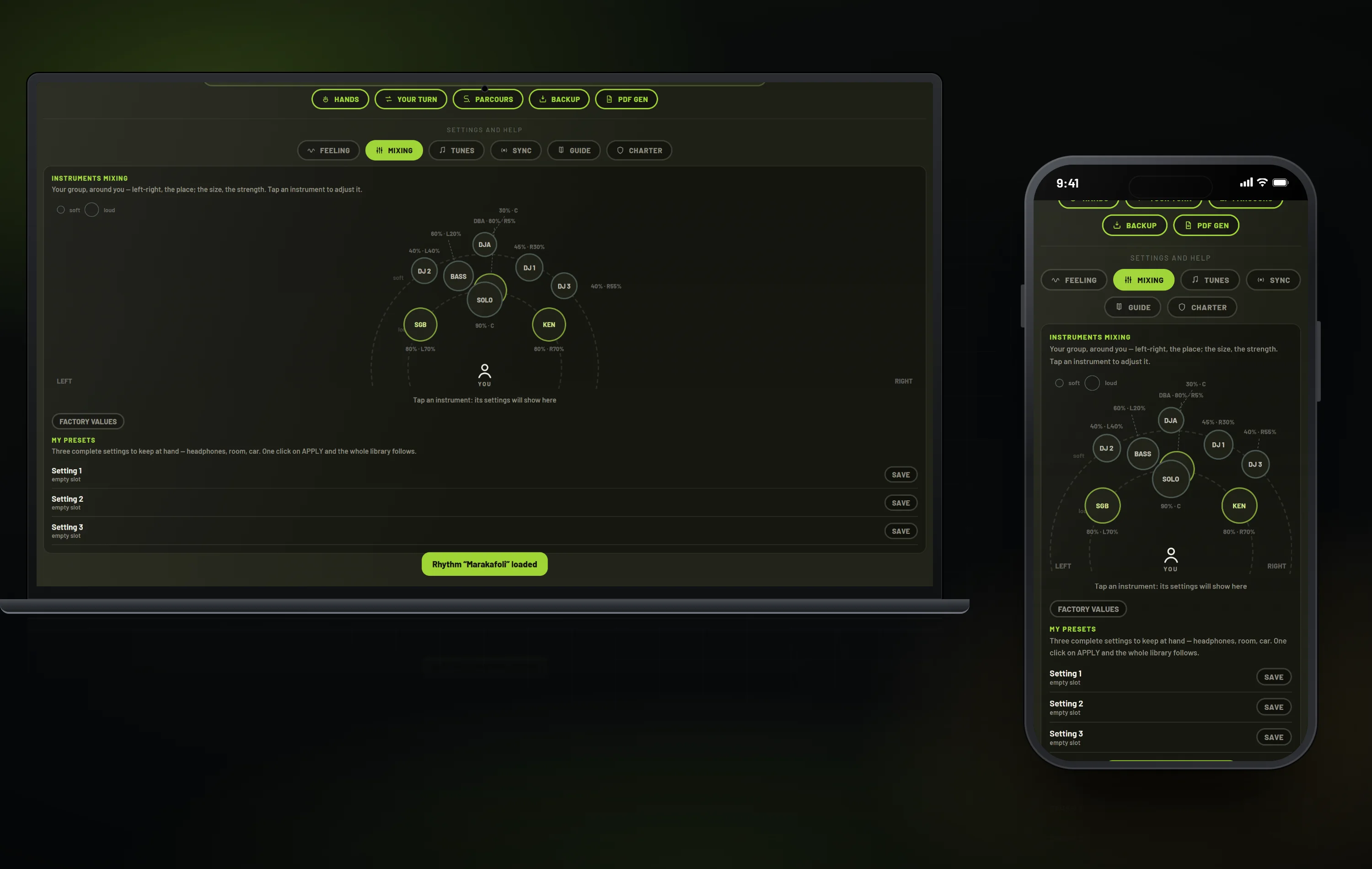
Arrange the ensemble around you. Choose where each djembe and each dunun stands in the group, and hear the rhythm from your own seat.
- You place
- Every instrument of the ensemble
09 TUNES
Your own sounds, shaped with a full equalizer
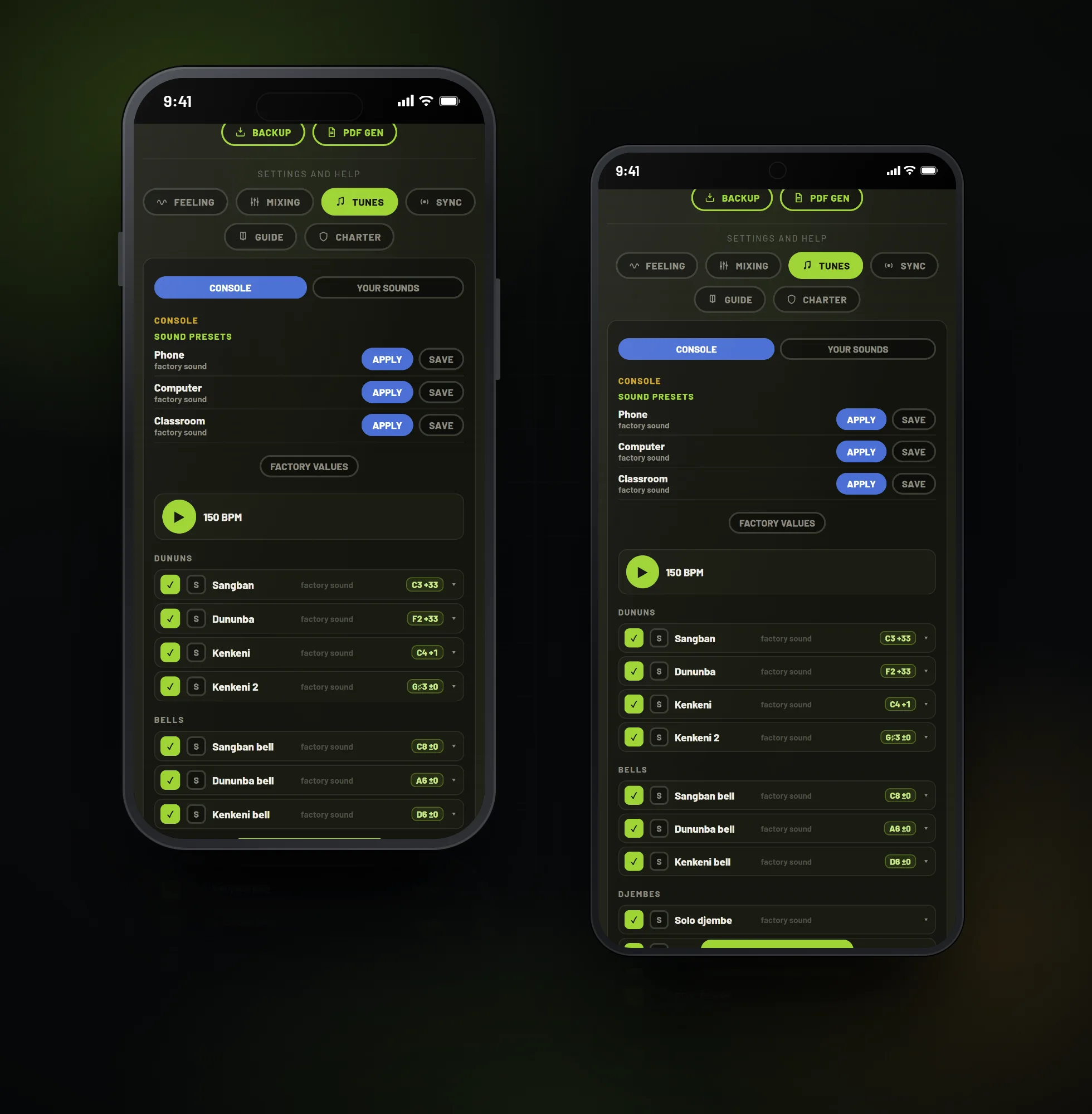
Load your own recordings in place of any built-in sound, stroke by stroke. Then shape each channel with the built-in equalizer: gain, low, mid, high, sustain, attack and pitch.
- Import
- Your own sounds, stroke by stroke
- Equalizer
- On every channel
10 SYNC
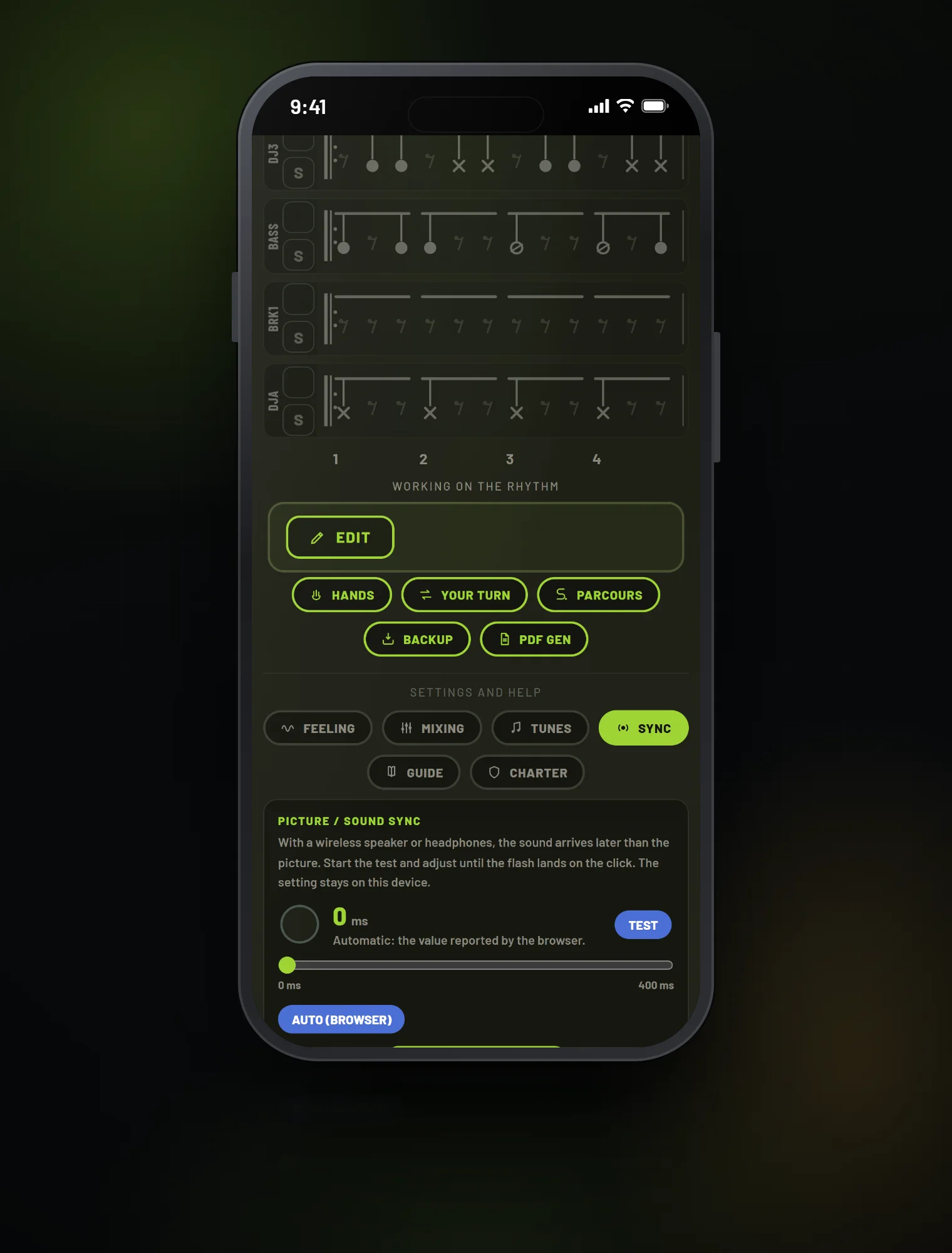
Picture and sound together on Bluetooth
Wireless headphones and speakers play the sound a little late. SYNC corrects it with a simple test: you adjust until the flash lands on the click, and the score lines up with what you hear.
- Works with
- Bluetooth headphones and speakers
And more to discover once you open the app.
Try it freeAlso inside
And what you would expect from a serious practice tool
Sounds
Studio-recorded sounds from real, tuned instruments
Every sound in Foli-Loops comes from a real instrument, tuned, played and recorded in a studio. Put on good headphones and listen.
- Accompaniment
- Four djembes to choose from
- Solo
- Solo djembe, with optional seke-seke
- Low end
- Bass djembe
- Bells
- Traditional bells from the Hamanah
FEELING
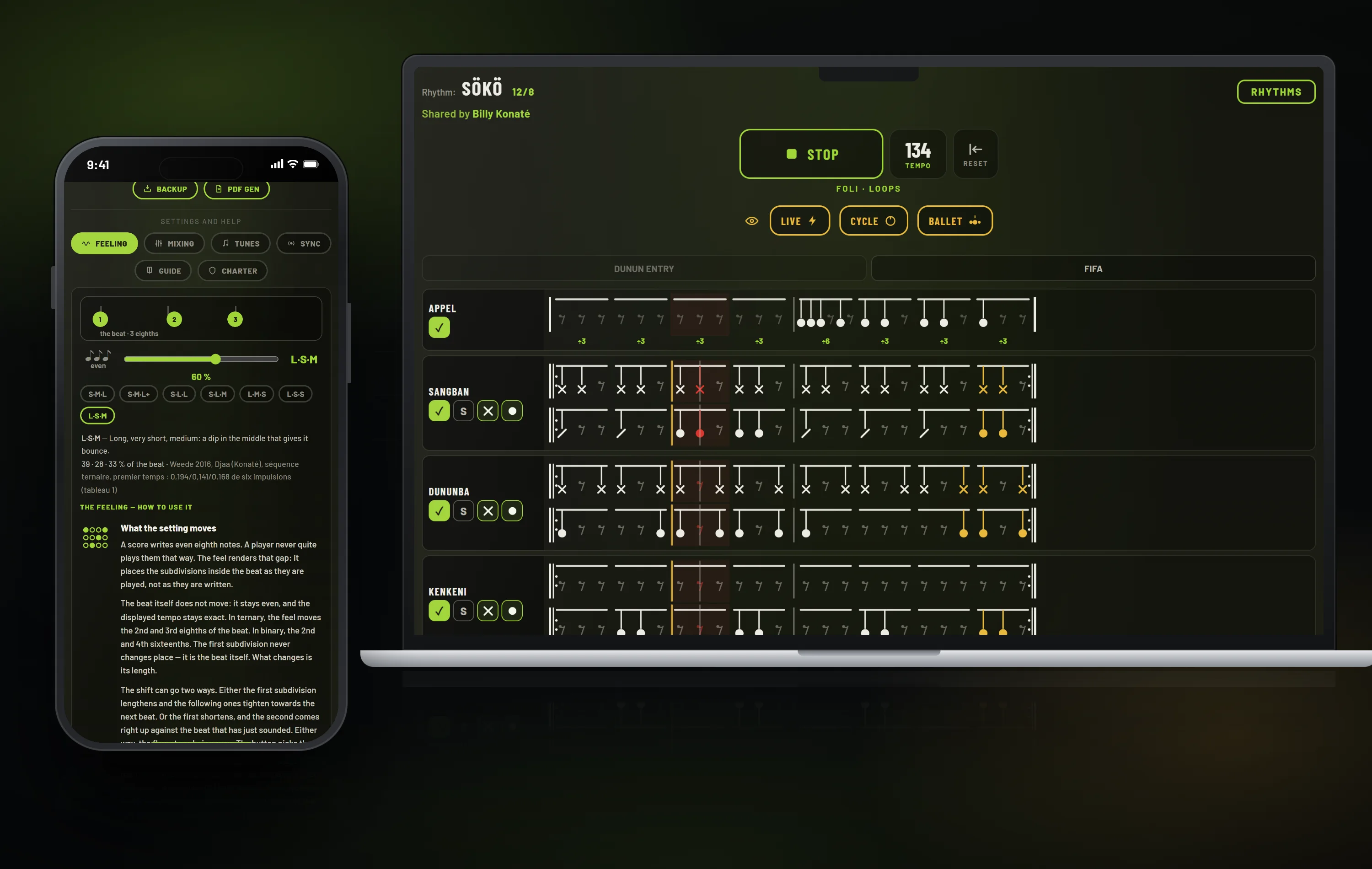
Same notes, different feel
Every rhythm comes with its feel already set. A slider and presets built from published timing measurements of Malian and Guinean drummers let you tune it to your ear.
- Sources
- Polak 2010, Weede 2016
- Control
- One slider, from straight to full feel
Questions
What drummers ask before they try it
Is there a djembe app for PC or Mac?
Yes. Foli-Loops runs in the browser on a Windows PC or a Mac, installs like an app and works offline. The same license also covers your phone and tablet.
Can I practice djembe solos with the full ensemble?
Yes. Play over the dununs, bells and accompaniment djembes at your own tempo, and place your solo on the sangban line: it leads the rhythm.
Does it include ballet-style dunun parts?
Yes. FIFA mode gives the three dununs for one player, and BALLET shows them as the drums in front of you.
Are the sounds real recordings?
Yes. Real, tuned instruments, played and recorded in a studio.
Can I write my own djembe rhythms?
Yes, with the Teacher license: rhythms, hand patterns, dunun entries and solo phrases, shared by code or by file.
Is it a subscription?
No. It is a one-time purchase, Student or Teacher license, with a free trial.