Open it in your browser, install it in one click
Go to the app in Chrome, Edge or Safari on your computer. Your browser offers to install it: Foli-Loops then opens in its own window, from your desktop or your dock, like any other program.
- Windows PC
- Chrome or Edge
- Mac
- Safari, Chrome or Edge
- No store
- Nothing to download from an app store
It keeps working without a network
Rehearsal rooms rarely have good Wi-Fi. After the first activation, Foli-Loops works offline: the rhythms, the sounds and your own scores stay on your device.
- Activation
- Online, once
- After that
- Fully offline
A real screen for writing
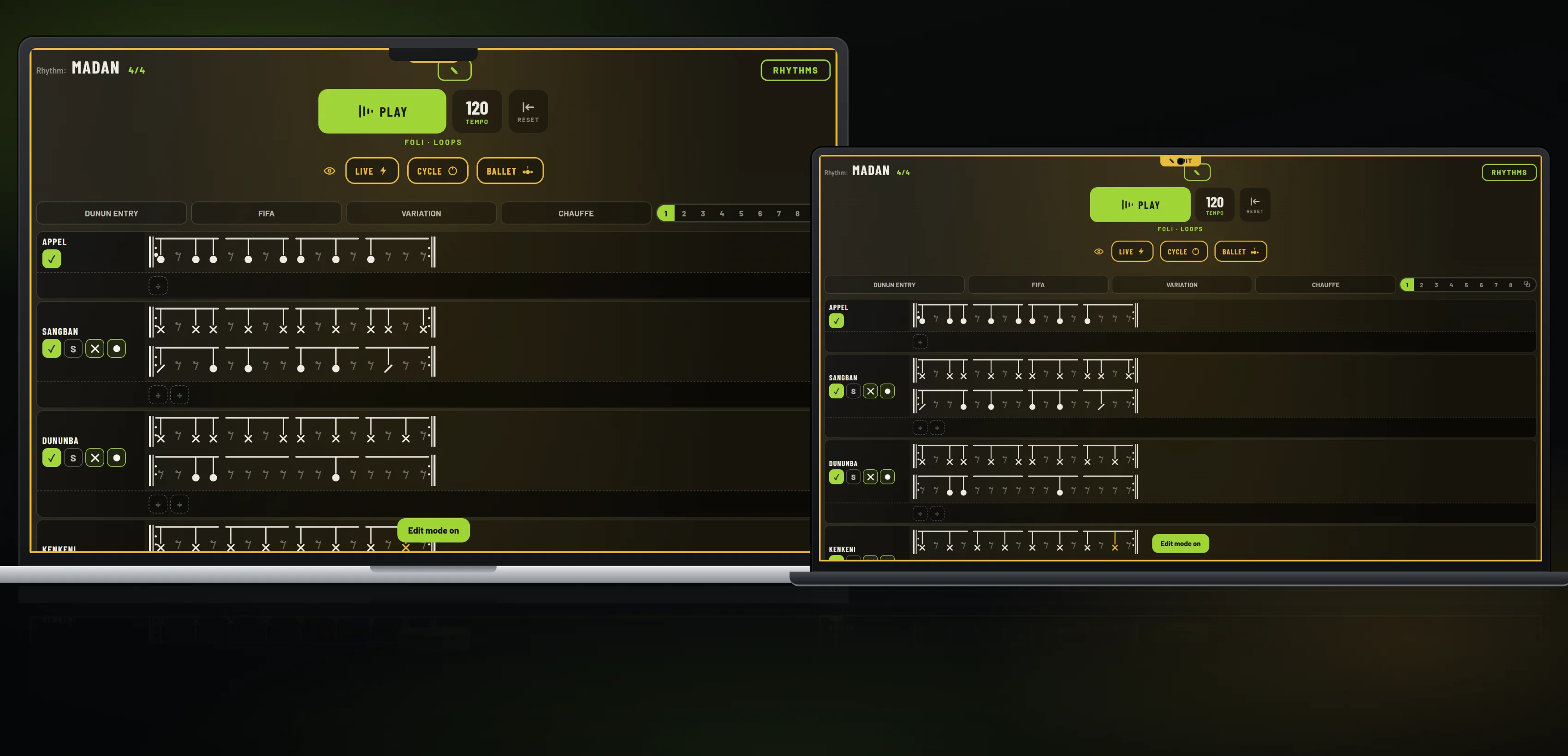
On a phone you see one bar at a time. On a computer you see the whole line, you click where you want, and each stroke has its own key. Writing a solo phrase takes a fraction of the time.
- Mouse
- Click any note to change it
- Keyboard
- One key per stroke
- License
- Writing needs the Teacher license
One license, all your screens
The license you buy covers your phone, your tablet and your computer. Practice on the phone, write on the computer, teach from the tablet.
- Devices
- Up to three at the same time
- Purchase
- One-time, no subscription
How to use it
- On your computer, open foli-loops.com/app in Chrome or Edge on Windows, in Safari, Chrome or Edge on a Mac. The demo rhythms play at once, no account needed.
- When the browser offers to install the app, accept: Foli-Loops gets its own window and its own icon on the desktop or in the Dock.
- Open LICENCE at the bottom of the page and enter the email of your purchase with the six-character code from your license email. Your computer is now one of your devices.
- From then on it works offline. Close the laptop, go to the rehearsal room, open it: the rhythms, the sounds and your scores are there.
- With the Teacher license, EDIT on a computer uses the keyboard: one key per stroke, the mouse to click any cell, the whole line visible at once.
Example on Tchologo
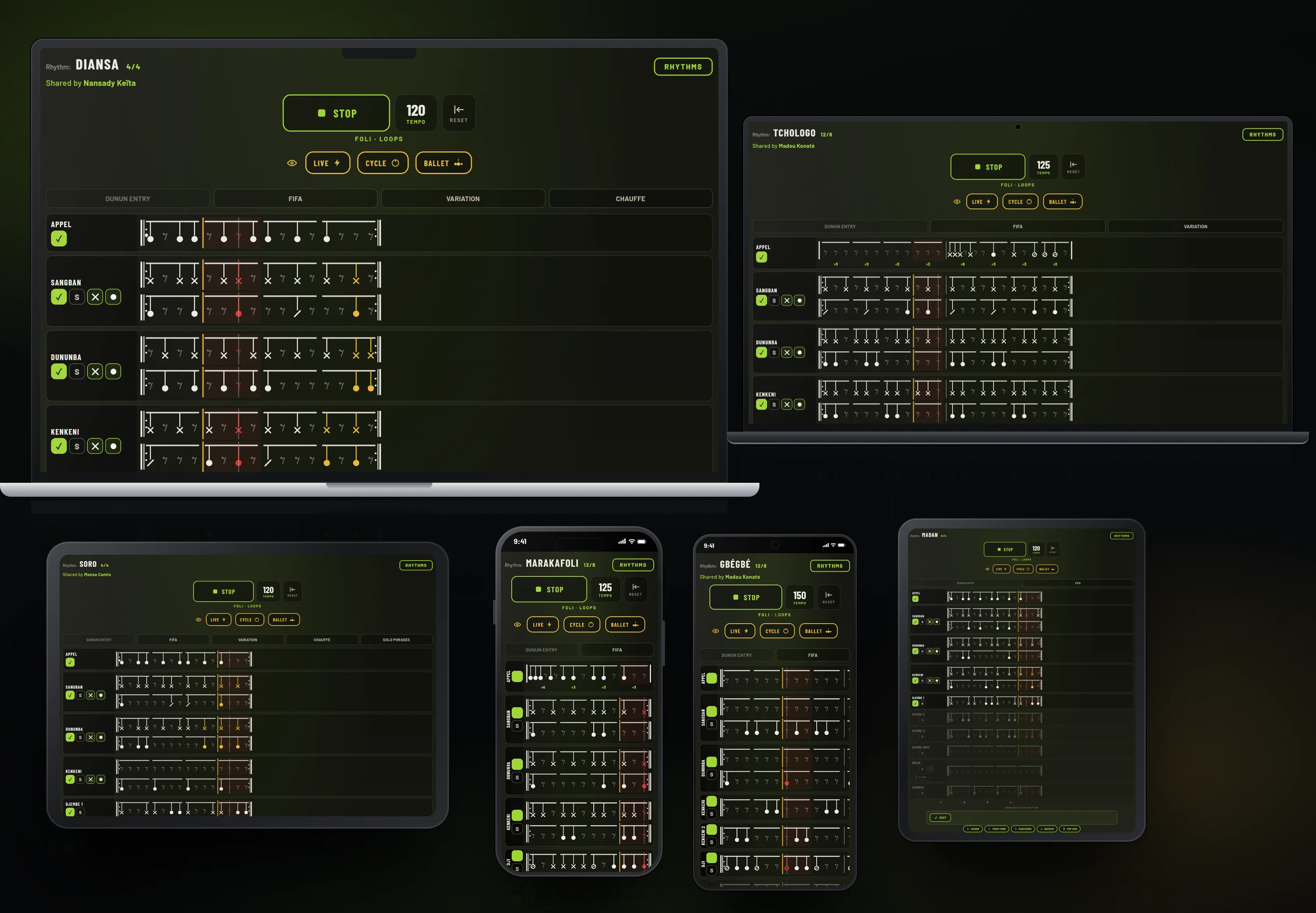
Tchologo, from Ivory Coast, has several djembe parts that are worth reading side by side. On a phone you see them one bar at a time. On a laptop, the full score fits on the screen: the dununs and their bells and the two djembes, all moving together while it plays. Open LIVE for a rehearsal: a single large button, the tempo on one slide, the count-in, the chauffe and the ending within reach, readable from the other side of the room.
Questions
Asked before trying it
Is there a djembe app for Windows?
Yes. Foli-Loops runs in Chrome or Edge on a Windows PC and installs like an app.
Is there a djembe app for Mac?
Yes. Foli-Loops runs in Safari, Chrome or Edge on a Mac and can be added to your Dock.
Do I need to buy it again for my phone?
No. One license covers your phone, tablet and computer.
Is it a download from a store?
No. It runs in the browser and installs from there, with nothing to download from an app store.
Does the sound work through my computer speakers?
Yes, and through headphones or a Bluetooth speaker; SYNC keeps the score in time with the sound.
What if I change computers?
Remove the old one from LICENCE, or let it expire: a device not seen for a month frees its place.