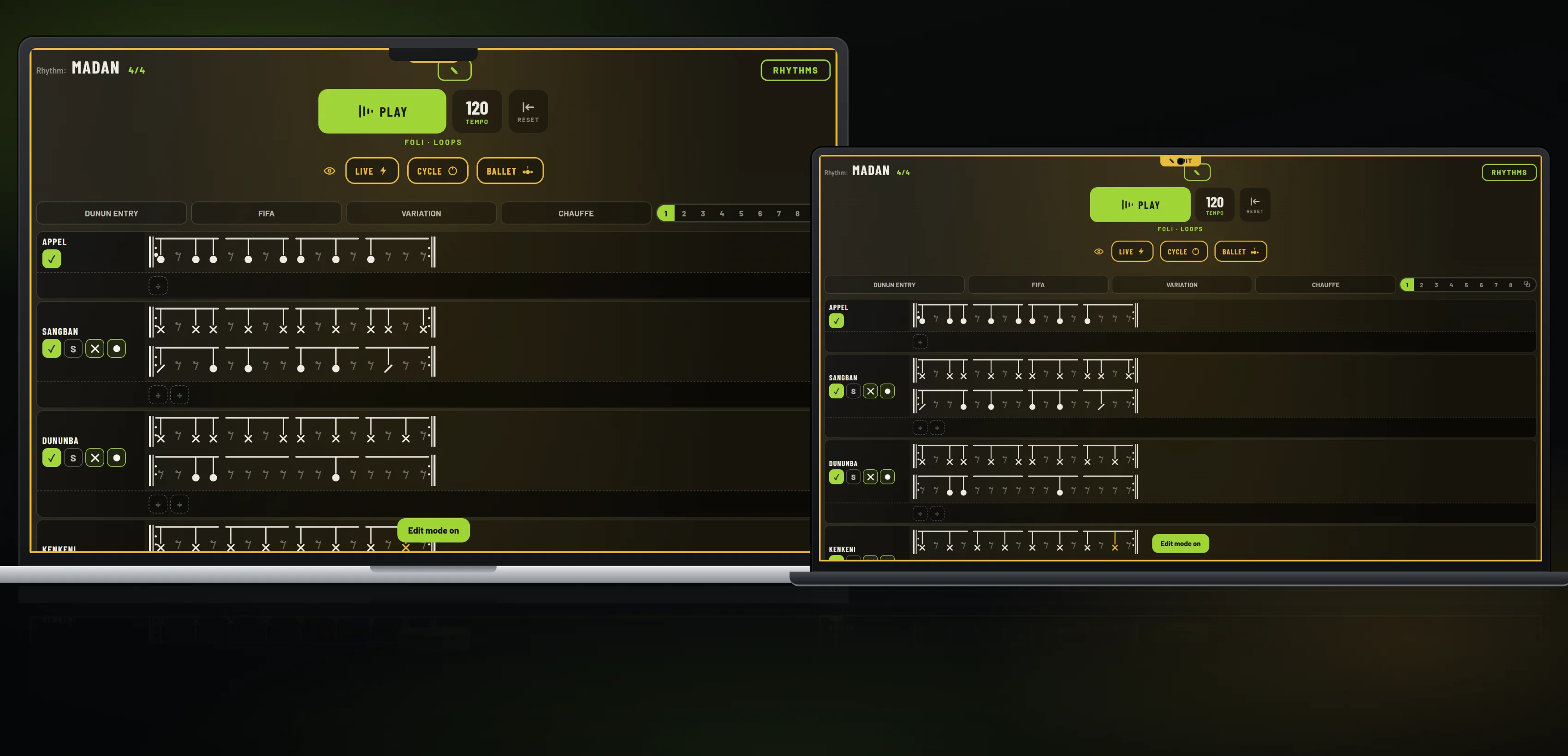
Every stroke you need
Bass, tone, slap, muffled slap and flams. On a phone, a short tap cycles through bass, tone and slap, and a long press opens the full palette. On a computer, each stroke has its own key.
- Djembe
- Bass, tone, slap, muffled slap, flams
- Dununs
- Skin and bell, open and closed
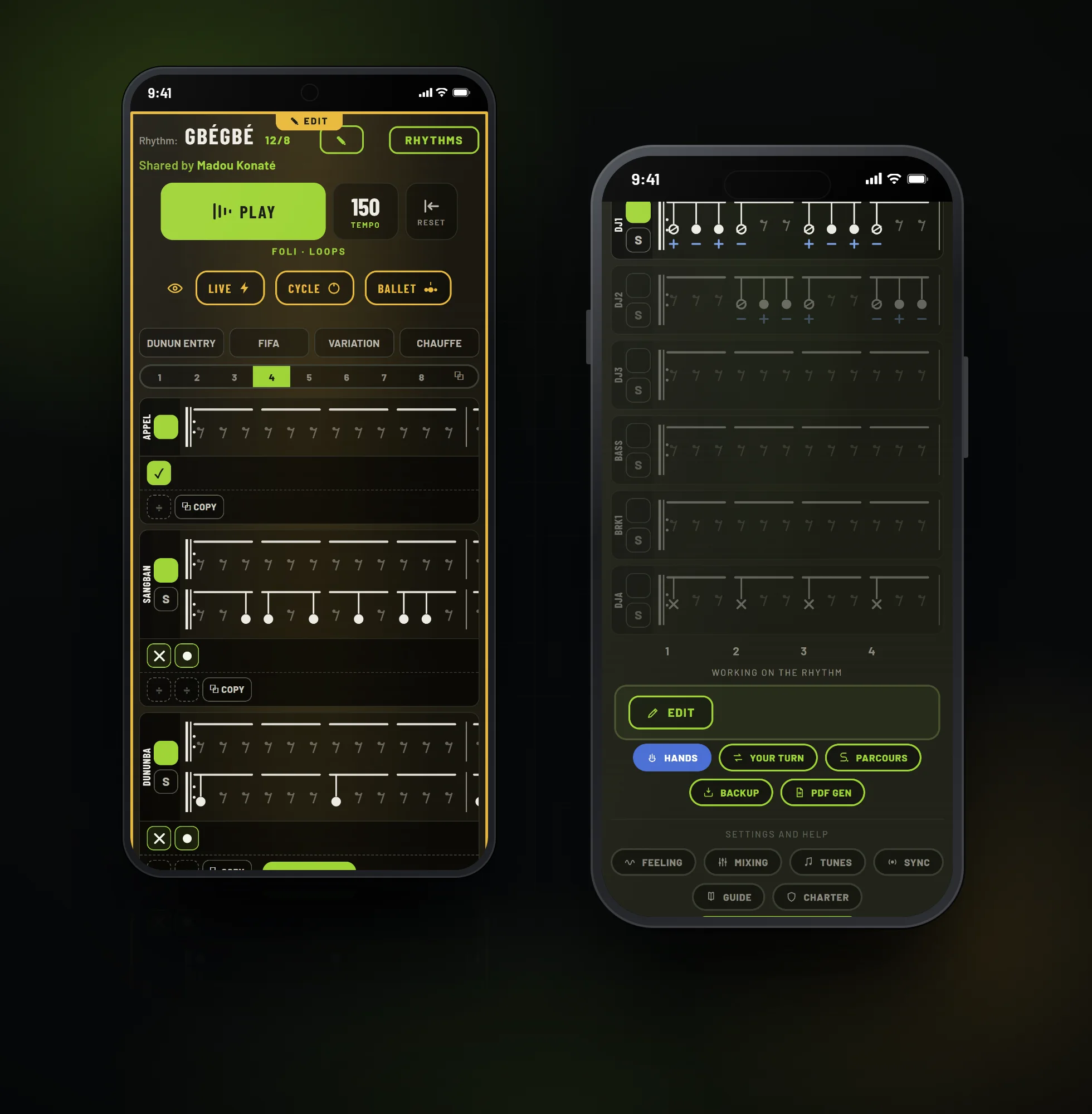
Subdivisions and hand patterns
Split a beat in 2, 3, 4, 6 or 8 exactly where the phrase needs it. Mark which hand plays each note, and let the line alternate for you.
- Subdivisions
- 2, 3, 4, 6 or 8 per beat
- Hands
- Strong hand and weak hand under each note
Write faster
Copy a bar, paste it further on, undo in one tap. Long accompaniments and repeated phrases go in quickly.
- Editing
- Copy, paste, duplicate, undo
Share by code
Send a rhythm or a solo phrase to your students as a code in a message. They paste it into the app and the score opens. No file to attach, no account to create.
- Sharing
- By code, or by file if you prefer
- Printing
- Scores as PDF
How to use it
- Open a rhythm and tap EDIT. Each line becomes a grid of cells, one per subdivision.
- Tap a cell. On a phone, a short tap cycles bass, tone, slap; a long press opens the full palette, with the muffled slap and the flams. On a computer, one key per stroke.
- Change the subdivision of a beat with ÷ where the phrase needs it: in 2, 3, 4, 6 or 8.
- Set the hands: RIGHT or LEFT under each note, or let the line alternate.
- Add a line with +: a djembe accompaniment, a solo phrase, a break, a dunun variation, a chauffe, a second kenkeni, or a line in free subdivision.
- Copy a bar and paste it further on the same line. UNDO takes back the last change.
- Press PLAY at any time to hear the result, then SAVE. Your version goes to MY COMPOSITIONS; the original rhythm stays as it was.
Example on Madan
Madan, from Mali, opens with a call that starts on a flam. Open it in EDIT, add a solo phrase with +, and write a first bar that answers the call: a long press on the first cell to pick the flam, short taps for the tones and slaps that follow. Press PLAY: the phrase comes in over the dununs, with the hands you marked. Copy the bar, paste it into the second, change two strokes, and you have a longer phrase ready to send.
Questions
Asked before trying it
Can I write my own djembe rhythms?
Yes, with the Teacher license. You can compose a new rhythm or add lines and solo phrases to an existing one.
Can my students open what I write?
Yes. Send them the code: they paste it into the app, with the Student or the Teacher license.
Does it work on a phone?
Yes, the editor works on every screen. A computer is simply more comfortable for long phrases.
Can I change a rhythm from the repertoire?
Yes. Your changes are saved as your own version in MY COMPOSITIONS. The delivered rhythm is never overwritten.
Can I write for the dununs?
Yes: skin and bell for each dunun, their variations and chauffes, the entries, and the ballet-style lines.
Can I print what I write?
Yes. Every rhythm, yours included, prints as a PDF score.