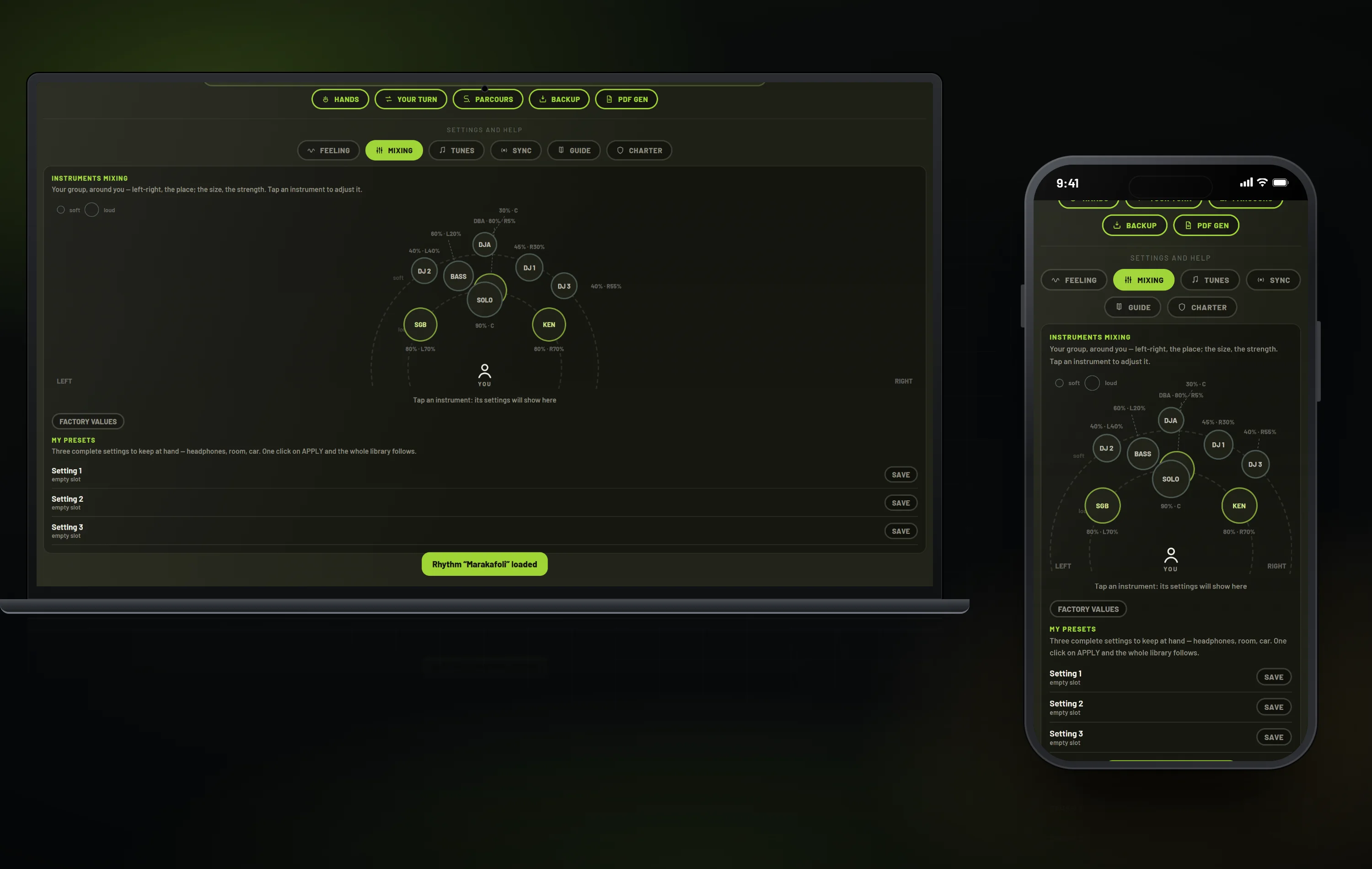
Place each drum in the group
The mixing view shows the ensemble around you. Tap an instrument and move it: closer, further, to one side. You hear the rhythm from the seat you chose.
- You place
- Every djembe and every dunun
Load your own sounds
Recorded your own djembe? Load your recordings in place of any built-in sound, stroke by stroke: bass, tone, slap, muffled slap, flams.
- Import
- Your own sounds, one per stroke
- Covers
- Djembes, dununs, bells
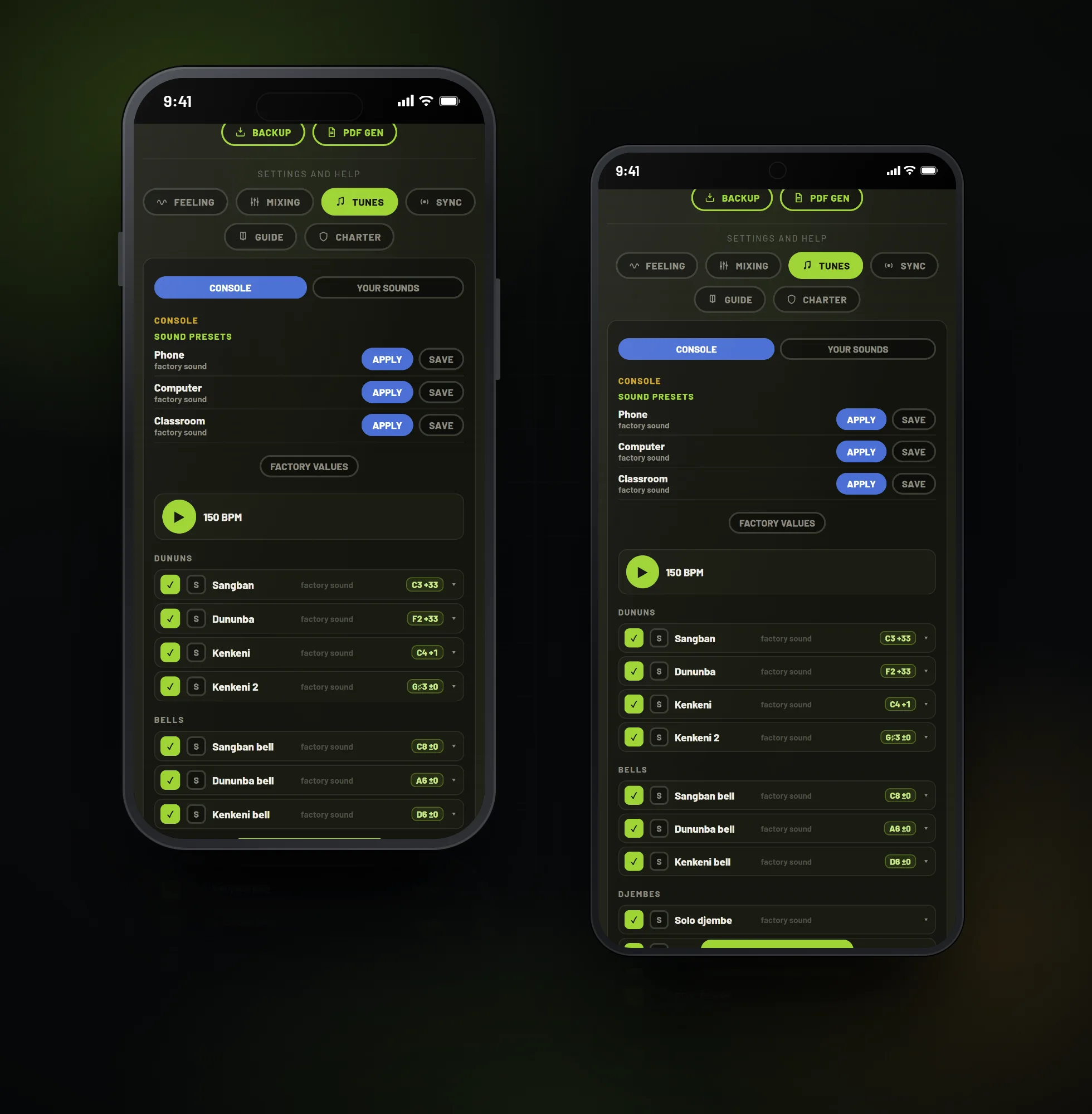
A full equalizer on every channel
Each instrument has its own channel: gain, low, mid with its frequency, high, sustain, attack and pitch. Tune a dunun, soften a bell, give a djembe more attack.
- Per channel
- Gain, low, mid, high, sustain, attack, pitch
- Presets
- Phone, computer, classroom
How to use MIXING
- Press PLAY, then tap MIXING.
- Each line of the score has its own strip: a volume and a left-to-right position. Move the sangban to one side, bring the solo djembe closer, lower a bell.
- Choose the voice of each accompaniment djembe among the four recorded djembes, and the solo djembe with or without seke-seke.
- Use S on a strip to hear that drum alone, then release it.
- The mix belongs to your device, not to the rhythm: your phone and your computer each keep their own. One button brings everything back to the delivered values.
How to use TUNES (Teacher license)
- Tap TUNES, then CONSOLE. Every instrument has a channel: gain, low, mid with its frequency, high, sustain, attack and pitch, plus a gain for each stroke.
- The note of each dunun and each bell is shown and follows the pitch control. Tune the kenkeni to your own drum.
- Save the result in one of three presets, for instance one for the phone, one for the computer, one for the classroom, and rename them.
- In the other tab, load your own recordings in place of any delivered sound, one file per stroke. The console shapes them too.
Example on Marakafoli
Marakafoli has two djembe accompaniments that answer each other. Open MIXING, put DJ 1 to the left and DJ 2 to the right, and keep the dununs in the center: the conversation between the two parts becomes obvious on headphones. Then lower the part you already know and leave only the one you are learning at full volume. The score does not change, only your seat in the group.
Questions
Asked before trying it
Can I use my own djembe sounds in the app?
Yes. You can replace any built-in sound with your own recording.
Can I change the pitch of the dununs?
Yes. Each channel has a pitch control, and the note of each drum is displayed.
Do I need extra software?
No. The equalizer is built into the app.
Is the mix saved with the rhythm?
No. Volumes and positions belong to the device, so every rhythm opens with your mix.
Which license do I need?
MIXING is in the Student license. TUNES, with the console and your own sounds, needs the Teacher license.
Can I go back to the original sound?
Yes. Both panels have a button that restores the delivered values.